---
title: "Point-in-Time Recovery"
description: "Learn how to rollback secrets and configurations to any snapshot with Infisical."
---
Point-in-Time Recovery is a paid feature.
If you're using Infisical Cloud, then it is available under the **Pro Tier**. If you're self-hosting Infisical,
then you should contact sales@infisical.com to purchase an enterprise license to use it.
Infisical's point-in-time recovery functionality allows secrets to be rolled back to any point in time for any given [folder](./folder) or [environment](/documentation/platform/project#project-environments).
Every time a secret is updated, a new snapshot is taken – capturing the state of the folder and environment at that point of time.
## Snapshots
Similar to Git, a commit (also known as snapshot) in Infisical is the state of your project's secrets at a specific point in time scoped to
an environment and [folder](./folder) within it.
To view a list of snapshots for the current folder, press the **Commits** button.
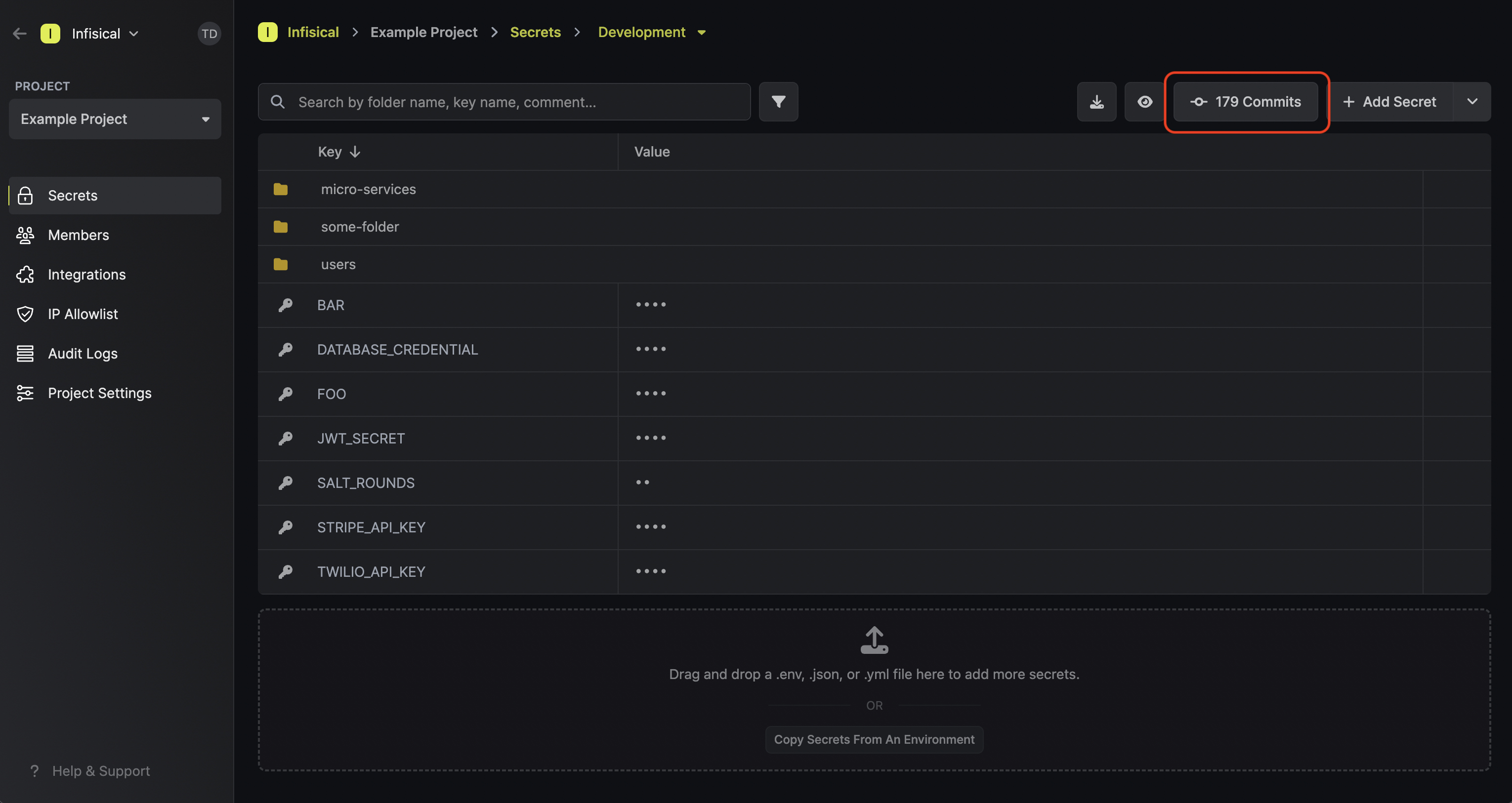
This opens up a sidebar from which you can select to view a particular snapshot:

## Rolling back
After pressing on a snapshot from the sidebar, you can view it and roll back the state
of the folder to that point in time by pressing the **Rollback** button.

Rolling back secrets to a past snapshot creates a creates a snapshot at the top of the stack and updates secret versions.
Rollbacks are localized to not affect other folders within the same environment. This means each [folder](./folder) maintains its own independent history of changes, offering precise and isolated control over rollback actions.
Put differently, every [folder](./folder) possesses a distinct and separate timeline, providing granular control when managing your secrets.